
Choose one clear objective
Start with the behaviour or experience you want to create. A participant should be able to explain the challenge in one sentence.
- Build a consistent activity habit.
- Encourage a group to accumulate active minutes together.
- Give clients or members a shared focus between sessions.
Avoid combining several unrelated measures. One understandable objective makes rules, tracking and communication easier.
Select an appropriate duration
Two to six weeks is a practical range for many community challenges. Shorter challenges lower the commitment barrier; longer challenges give the group more time to establish a rhythm but require more organiser communication.
Pick exact start and end dates. Leave enough time before the start for participants to join, connect supported health services and ask questions.
Create simple rules
Record the decisions that could otherwise become unclear later:
- start and end dates
- the activity measure and what counts
- whether late joins are allowed
- what to do if device tracking is interrupted
- how completion will be recognised
Keep the rules short enough to include in the invitation or first group update.
Decide how progress will be tracked
Choose a measure that matches the objective and the tools participants can use. YuBeFit supports steps, active minutes and active calories through supported health services on a participant’s device.
Explain any device permissions before the challenge and provide a simple fallback process for a participant whose tracking is temporarily unavailable. Do not ask the group to share sensitive health information.
Invite participants with enough context
An effective invitation answers five questions: why, when, what, how and where.
We’re starting a group activity challenge from 3 to 30 August. Our goal is to stay consistent together by tracking active minutes at a level that is appropriate for each person. Download YuBeFit, open Groups and use the join code included with this message. Please join by 1 August, and reply here if you need help getting set up.
Maintain engagement without constant messaging
Prepare a light weekly rhythm before the challenge begins:
Use progress as context, not pressure. A participant returning after a quiet week can be as worth recognising as a high total.
Make room for different fitness levels
A shared challenge does not require identical effort. Keep the common measure simple, encourage participants to work at an appropriate level and allow rest or lower-activity days without treating them as failure.
Avoid personalised exercise prescriptions unless they come from a suitably qualified professional who understands the individual.
Configure the challenge in YuBeFit
- Create a private group for the participants.
- Choose a challenge using steps, active minutes or active calories.
- Add the agreed dates and explain the rules in the group update.
- Share the group join code with invited participants.
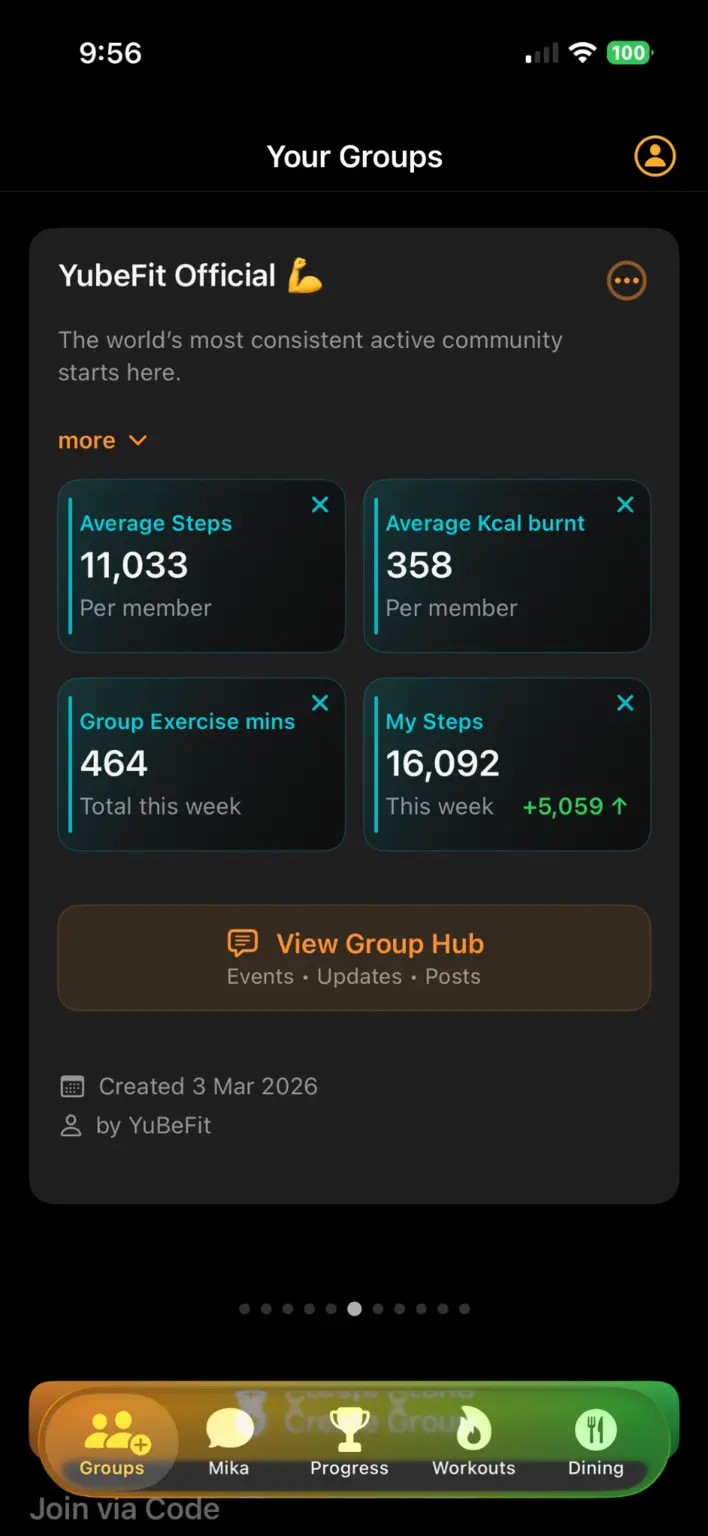
- Use the group space for updates, encouragement and visible progress.
- Close with a summary that recognises participation and what the group learned.