For coaches and community organisers
Group Fitness Challenge App for Organisers
Create a group fitness challenge, invite participants and keep shared progress visible with YuBeFit.
Built for the person who sets the direction, invites the group and keeps everyone connected.
Download YuBeFit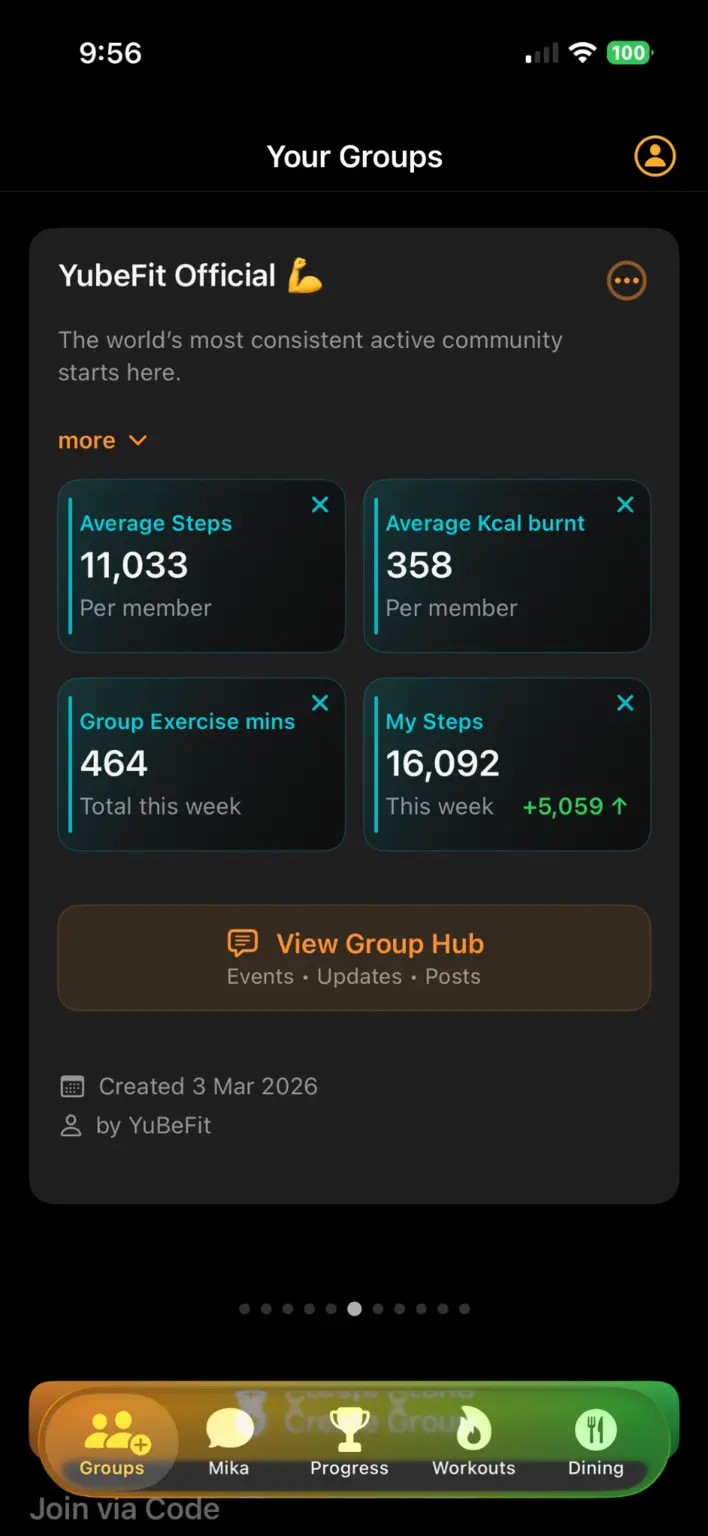
Turn an idea into one shared challenge
Running a group challenge can quickly scatter across messages, spreadsheets and individual check-ins. YuBeFit gives the challenge a shared home, so the rules, group activity and progress stay connected.
It is designed for an organiser who already has a community to motivate—not for discovering anonymous workout plans or competing with the whole internet.
Make joining and participation clear
Create a private group, share its join code and give participants one clear route into the challenge. Members can follow their own activity alongside shared progress without the organiser rebuilding the same update by hand.
- Create a group for clients, class members or a community.
- Choose a challenge based on steps, active minutes or active calories.
- Share updates and encouragement in the group space.
- Use visible progress to keep the next action easy to understand.
Support the experience beyond the leaderboard
YuBeFit brings challenges, activities, updates and group conversation into one place. Recommended workouts can help members decide how to move, while Mika offers general wellness motivation and guidance inside the app.
Mika is supportive context, not a medical professional or a substitute for advice tailored to an individual.
A short setup walkthrough
Start the challenge in YuBeFit
- 01
Create the group
Name the group and set up the shared space for your participants.
- 02
Choose the challenge
Select a supported activity measure and explain the common objective.
- 03
Share the join code
Invite participants to enter the code from the Groups tab.
- 04
Keep the group moving
Follow shared progress, post updates and recognise participation.
Frequently asked questions
Who can organise a challenge in YuBeFit?
YuBeFit is designed for people already bringing a group together, including fitness instructors, coaches, trainers and community organisers.
How do participants join a group?
The organiser shares the group join code. Participants enter that code from the Groups tab in YuBeFit.
What can a group challenge track?
YuBeFit supports shared challenges based on steps, active minutes or active calories through supported health services on a participant’s device.
What does Mika do?
Mika provides general wellness motivation and guidance inside YuBeFit. It does not replace professional medical or fitness advice.
Ready when your group is
Create your next challenge with YuBeFit.
Download the app, start a private group and invite the people joining you.